At first glance, it is strange that Excel survived for decades.
It is visually primitive. A blank grid of cells. No obvious workflow. No onboarding. Nothing about it suggests that investment banks use it to build billion-dollar financial models or that entire companies run on top of it.
Yet they do.
Why did this tool survive while newer, more polished and highly capable products struggled to replace it? How can complex analysis happen inside the same tool that a child can use within minutes?
Very few tools operate comfortably across such a wide spectrum of users.
Beginners see cells and tables.
Intermediate users see formulas.
Advanced users see workflows, automation and interconnected systems.
Experts see infrastructure.
The interface remains largely the same, but the user's understanding of it changes dramatically.
That is one of the most remarkable qualities of great software. The best tools do not merely stay useful. They reveal deeper layers as users grow into them.
Understanding the Journey
Most software struggles with this balance.
Tools designed for beginners are often easy to learn but quickly become restrictive. As users become more experienced, their needs become more sophisticated and the tool that once felt empowering begins to feel limiting.
More advanced software tends to solve this problem by exposing every capability upfront. The result is often the opposite problem: overwhelming complexity. New users are confronted with dozens of features they do not yet need and cannot yet understand.
Few products manage to remain approachable while continuing to expand alongside their users.
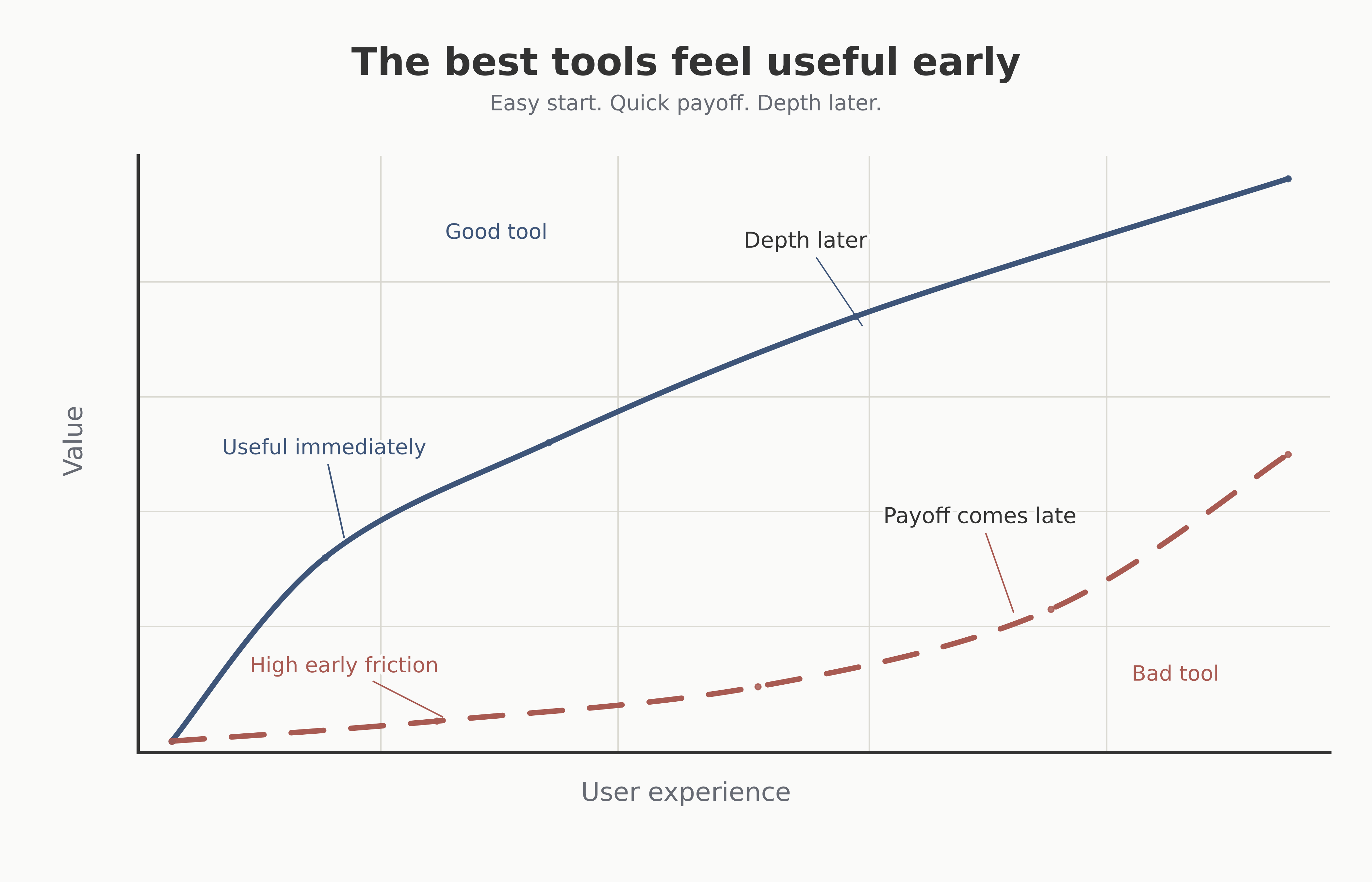
A useful tool should feel rewarding early, while still leaving room for deeper capability over time.
Excel does.
The reason tools like Excel scale so well is not that they expose all their power immediately. They do almost the opposite.
Great products do not overwhelm users with capability. They reveal it gradually.
The first useful action in Excel is obvious: click a cell and start typing. Within minutes, a user can create a table and organize information. The software becomes useful long before the user understands its full capabilities.
The complexity is not removed. It is staged.
A beginner can ignore formulas entirely. Later, formulas become useful when repetitive calculations appear. As datasets grow, filters and pivot tables become relevant. As workflows become more sophisticated, automation, scripting and integrations become valuable.
Each layer becomes meaningful only after the previous one has become familiar.
The user is not forced to learn everything upfront. Instead, the software grows alongside their ambitions.
Why We Outgrow Tools
Most tools are abandoned for one of two reasons.
Some are too complicated to learn. Users never make it past the initial friction.
Others are too simple. They solve an immediate problem but eventually become limiting as the user's needs evolve.
The first type fails because it asks too much too soon.
The second fails because it has nowhere left to grow.
Users outgrow these products because they eventually encounter a problem the tool was never designed to solve and there is no clear path to adapt the tool to solve it. At that point, they migrate.
The tool becomes a stepping stone.
Excel rarely becomes a stepping stone. It provides a core set of functionalities that gives it incredible flexibility.
One reason is that it makes surprisingly few assumptions about how work should be done. It does not force users into a predefined workflow. It provides primitives: cells, rows, columns, formulas and references.
From these simple building blocks, users create budgeting systems, financial models, inventory management systems, project trackers, forecasts, dashboards and workflows that the original designers could never have predicted.
The software remains relevant because users can continuously adapt it to new problems.
As their needs grow, the tool remains flexible enough to grow with them.
The Best Tools Leave Room
This pattern appears in many enduring products.
Obsidian begins as a simple note-taking application. Over time, users discover links, graph views, queries, plugins and entirely new ways of organizing knowledge.
Figma begins as a canvas for designing interfaces. Later it becomes a design system, a collaboration platform and a foundation for organizational workflows.
These tools share an important characteristic.
They provide building blocks rather than rigid processes.
They allow beginners to accomplish something useful immediately while leaving room for advanced users to construct entirely different systems on top of the same foundation.
The complexity is available, but it is not imposed.
That distinction matters.
Many products achieve simplicity by removing power. They become easy to learn but easy to outgrow.
Others pursue power by exposing every capability immediately, making them difficult to approach.
The best products take a different path.
They preserve complexity without demanding it.
They provide depth without overwhelming users.
They allow beginners to ignore complexity while giving advanced users room to explore it.
They do not merely reduce friction.
They create a path for growth.
And that may be one of the defining characteristics of software that endures.
Read or Leave a comment (comments)