Lingua
Language chat learning.
https://lingua.cauenapier.com/
I had tried a Duolingo conversation feature years earlier and really liked it. It let me practice reading and writing through everyday scenarios instead of just doing drills. When I wanted to use it again, I could not find it anymore, so I built Lingua.
I was living in Sweden at the time and I wanted more real practice. Not more vocabulary exercises. I wanted to roleplay daily situations and see how I would actually answer. That was the point of Lingua. I could ask the agent to play along with a scenario and practice the kinds of responses I did not already have ready.
What I wanted was not just chat. I wanted something closer to tutoring. Lingua was meant to catch mistakes, explain why they were mistakes and adapt the conversation from there. That was the gap I felt in other tools and it was the part I cared about most.
I am still very happy with the interface. This was the first project where I seriously used Claude Design and it helped me explore a few different directions quickly. The version I landed on feels very natural to me. It is minimal, calm and low friction. Corrections are easy to reach. The whole thing feels purposeful, at least from my side as the person who made it.
Interface and learning loop
I spent a surprising amount of care on the interaction design. I wanted the app to feel calm and easy to use, while keeping the tutoring layer close at hand.
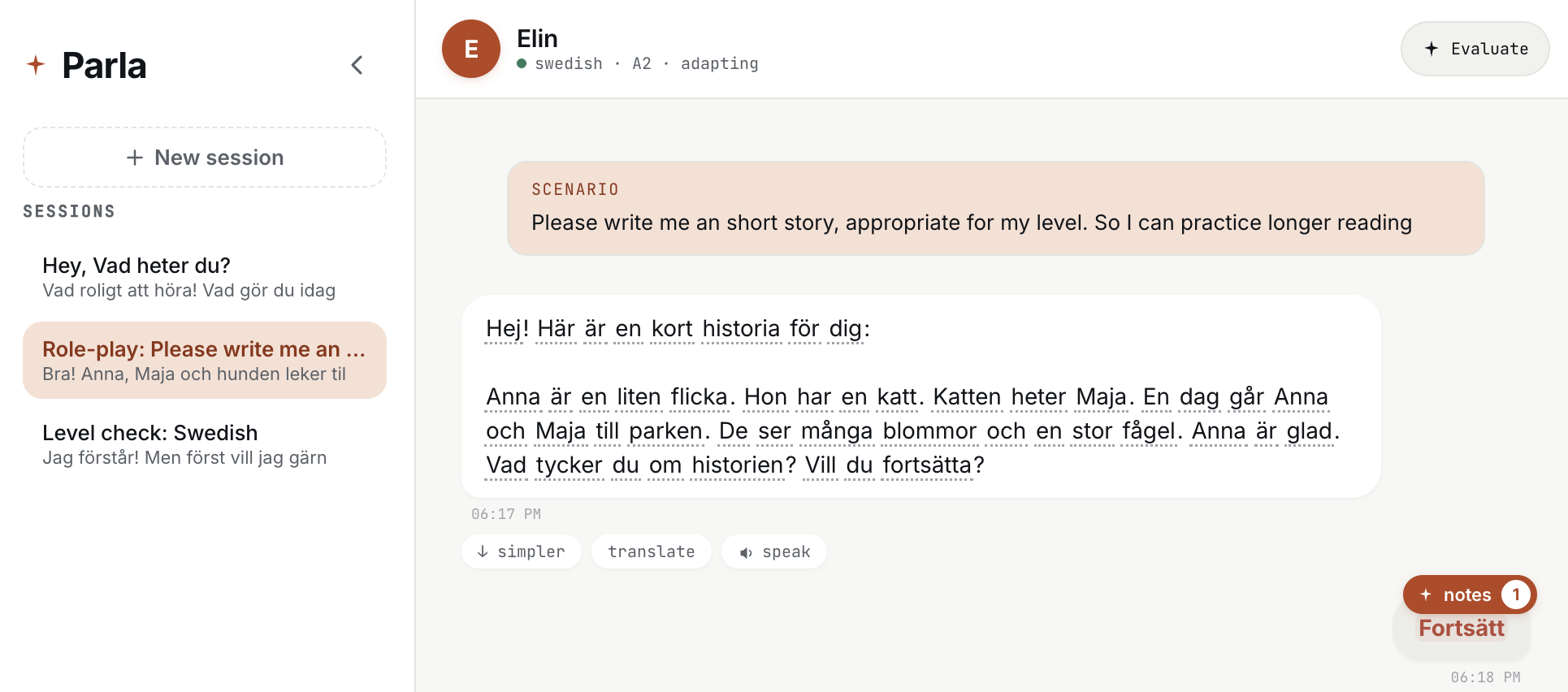
The main session view was built around roleplay and reading practice. The conversation stays central, while actions like simplifying, translating, or reading a sentence out loud stay close by.
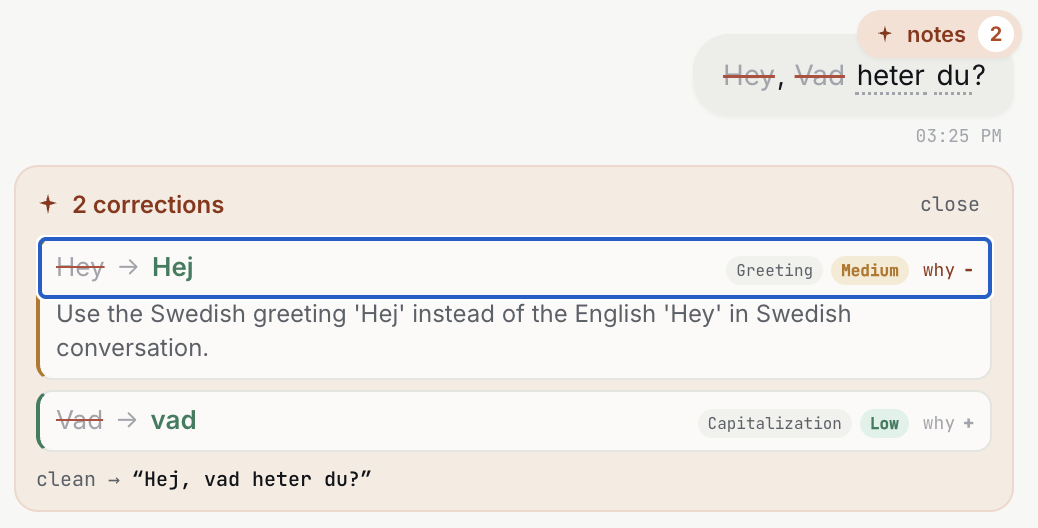
The part that mattered most to me was correction with explanation. I did not want the app to just say something was wrong. I wanted it to point to the mistake, explain it and make the corrected version easy to compare.
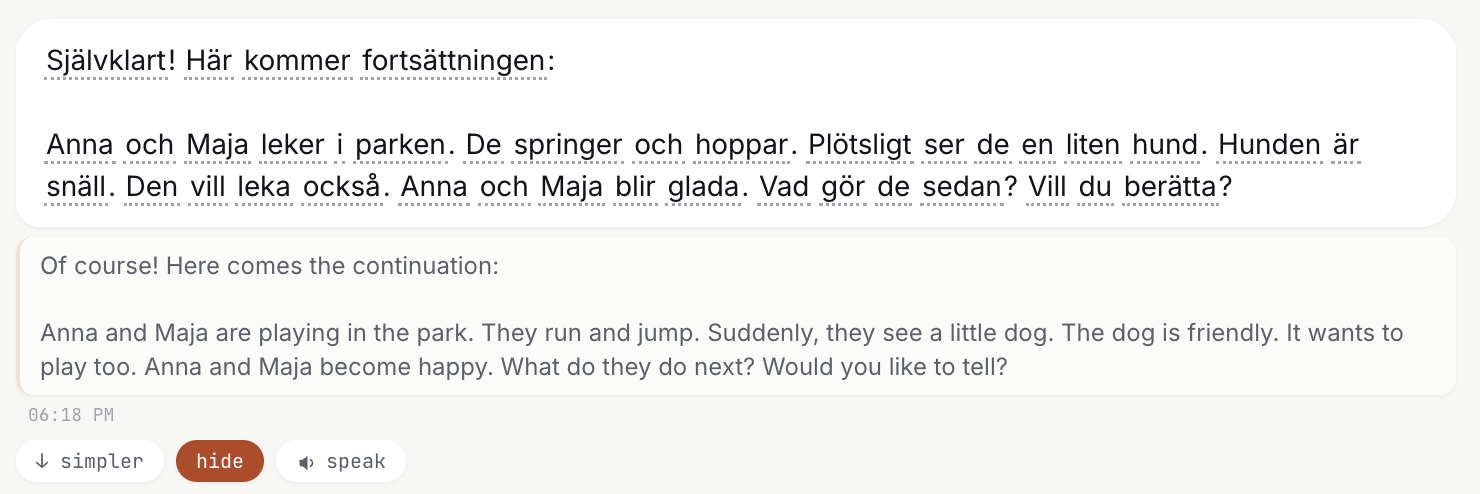
Translation and read aloud support were there for low friction help in the middle of practice. If I got stuck on a word or sentence, I wanted help to be one click away instead of turning the exercise into context switching.
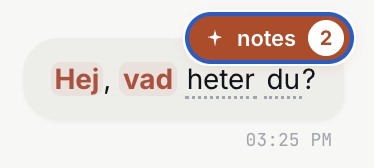
Corrections also stayed visible as lightweight notes inside the conversation, so the feedback felt attached to the writing that caused it.
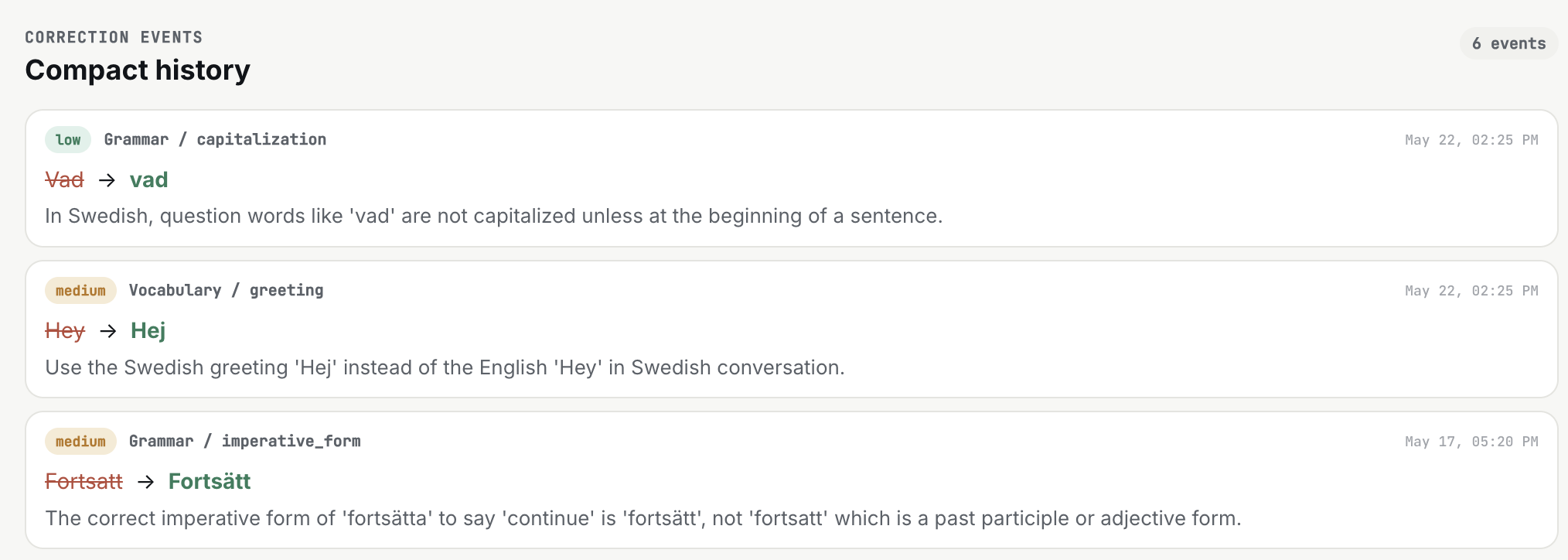
I also liked the idea of keeping a compact history of corrections. That makes it easier to review recurring mistakes later and it gives the system a better sense of where the learner is still weak.
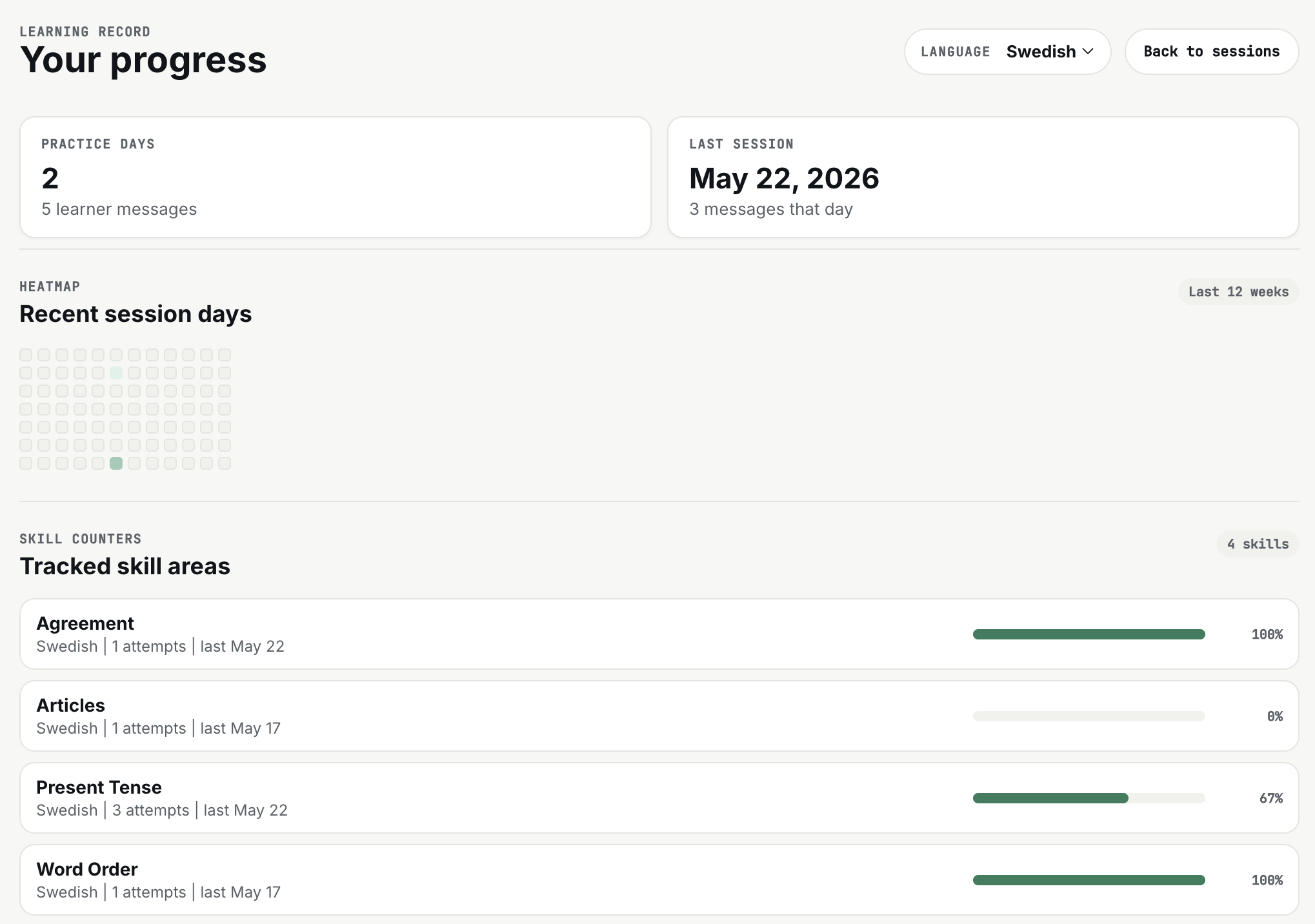
There is also an early progress view with session history and tracked skill areas. I liked the idea of making patterns visible over time, especially for things like tense, word order, or article usage.
This was only a couple of days of tinkering, which is probably why I still look at it fondly. It did not turn into a big complicated project. It stayed small, but the main idea held up. The catch is that I never really validated it. No one else tested it. So Lingua is still more of a promising personal tool than a proven product.
Where it stands
I still think I should come back to Lingua. The idea still feels good, the interface still feels good and I still like the tutoring approach. It is less a question of whether there is something here and more a question of focus. TownSquare has taken a lot more of my attention and energy recently, so Lingua has stayed paused in this early, promising state.